Book Tracker Apps vs Paper: Which to Choose
You finish a book late at night and want it counted somewhere before you forget the ending. A book tracker can be an app such as Goodreads or The StoryGraph, or a paper log that lives in the book, and the right one depends on whether you want stats and friends or a record you can hold.
What Does a Book Tracker Do?
Any tracker records which books you read, when you read them and what you thought. Apps add automatic counts, charts, recommendations and other readers. Paper adds nothing automatic. In return, a paper tracker sits on the page you are reading, so progress and notes go down while the book is open.
Both kinds can hold a reading goal, a rating and a short verdict. The differences show up in six places. Cost, privacy, stats, social features, effort and where the record lives each favor one side.
Cost: Free Apps vs Paper You Print
Basic tracking costs little either way. The StoryGraph says most of its app will always be free to use, with a paid plan for extras. Its App Store listing prices StoryGraph Plus at $4.99 a month or $49.99 a year. The private iPhone and Mac app Book Tracker is free to download.
A paper tracker costs a pencil and whatever you print it on. Our printable bookmark sets cost $5.00 each, and one download can be printed again whenever a bookmark fills up. A free app tier still wins on price. Paper only pulls ahead if you would otherwise pay for a subscription.
Privacy: An Account vs a Page Only You See
Paper is private by default, and some apps come close. Goodreads is a subsidiary of Amazon, and its privacy notice says the information it collects is subject to the Amazon Privacy Notice. The same notice says any content you post becomes available to the public through the service.
Book Tracker, an app for Apple devices, promises no ads, no tracking and no registration, and it syncs your library through iCloud. A paper log goes further still. Nobody reads it unless you lend the book with the bookmark inside.
Stats: Automatic Charts vs Hand Counts
Apps win this one outright. The StoryGraph builds charts and graphs of your reading from every book you log, with no arithmetic on your part. Plus adds custom charts, stats filtered by mood or genre, and comparisons between any two slices of your reading.
Paper only counts what you count. A numbered list tells you how many books you finished, and a shelf colored month by month shows your pace at a glance. Pages per hour or average rating by genre means a calculator and an evening. Choose an app if numbers are the reason you track.
Key Takeaway: Charts are the clearest reason to pick an app. The StoryGraph draws them on its free tier, and Plus matters only if you want charts you design yourself.
Social Features: Friends Online vs Friends in Person
Apps win here too, because other readers live there. Goodreads shows what your friends are reading and runs a yearly Reading Challenge. Its challenge page notes that Kindle books count toward your goal automatically once you link your Amazon account. The StoryGraph lets you read with friends and leave reactions that stay locked until each person reaches that part of the book.
Paper is social only in person. A bookmark with a book club date on it works at the meeting itself. If you want recommendations from strangers, use an app.
Effort: A Tap vs a Pencil Line
Apps take less effort per book, and paper takes less effort per evening. Adding a finished book to an app is a search and a tap, and on Goodreads, Kindle books can count themselves. The catch is the phone. Logging means unlocking a screen, and the screen tends to keep you.
Paper asks you to write, but only a line or a page number at a time. You fill it in where you stopped reading, with a pencil you keep in the book. For some readers, that small habit is easier to keep than opening an app at bedtime.
Being in the Book: Phone vs Bookmark
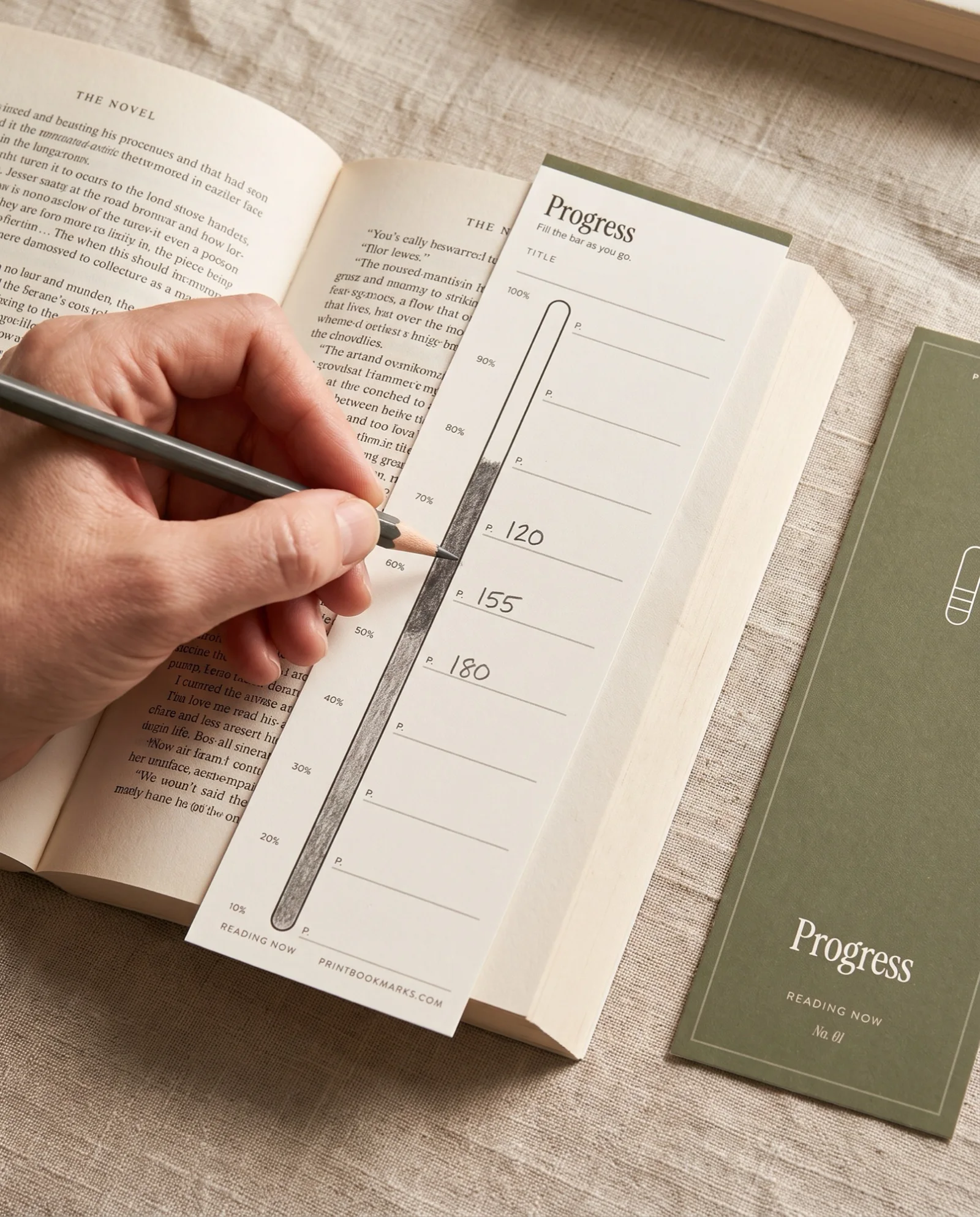
Paper wins where the reading actually happens. A tracker bookmark stays at your page, so you can note a character, a line worth keeping or a word to look up without leaving the book. You see your progress every time you open it.
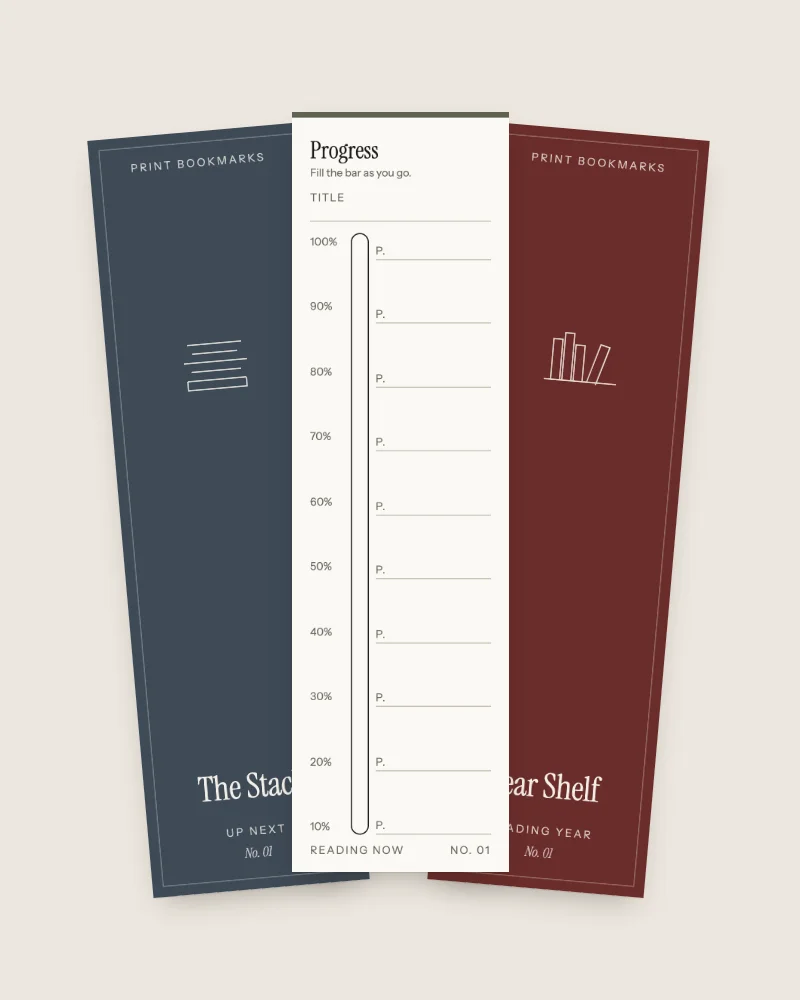
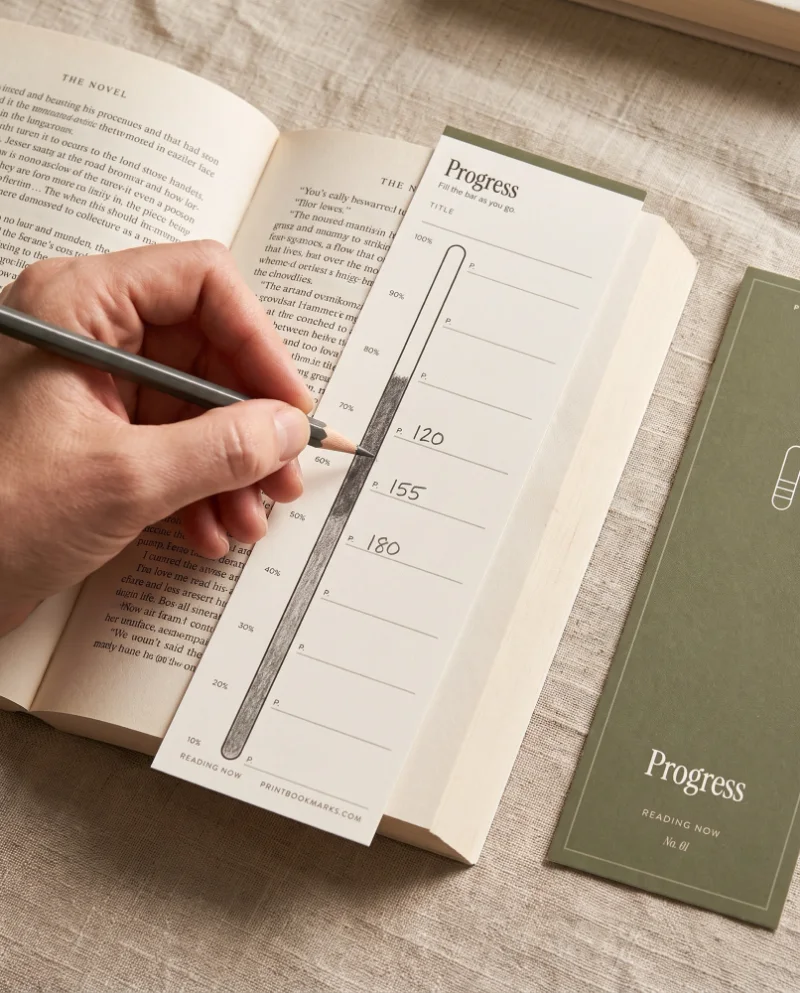
Our Reading Now bookmark set is built for that. Its Progress bookmark has a bar you fill with a page number at each step, and the other five cover who's who, lines to keep, words to look up, reading sessions and a last page with dates, a rating and one line. Each bookmark trims to 2 by 7 inches.
Our bookmarks have a clear limit. If you want stats, recommendations or friends, our bookmarks will not give you any of those, and an app is the better choice.
Apps vs Paper at a Glance
| Dimension | App | Paper | Edge |
|---|---|---|---|
| Cost | Free tiers, with paid extras on some apps | A pencil and a few dollars for printables | App, if you stay on the free tier |
| Privacy | Varies from public profiles to no-account apps | Nobody sees it but you | Paper, with private apps close behind |
| Stats | Automatic charts and filters | Counts you do by hand | App |
| Social | Friends, challenges, buddy reads | Only in person | App |
| Effort | A tap per book, a phone per session | A pencil line per session | Depends on your habits |
| In the book | Lives on your phone | Sits at your page | Paper |
Can You Use Both?
You can, and the split is simple. Keep the app as your library and your yearly count, and keep paper in the book for progress and notes. When you finish, move one line from paper to app.
| You mainly want | A good fit |
|---|---|
| A yearly count and charts | An app such as The StoryGraph |
| To read alongside friends | Goodreads or The StoryGraph |
| No account and no tracking | Book Tracker, or paper |
| Progress and notes at the page | A tracker bookmark |
| The count and the notes | An app plus a bookmark |
Pro Tip: When you close a finished book, copy the one-line verdict from its paper bookmark into the app's review box. The app gets the data, and the bookmark keeps the thought where you had it.
Longer thoughts about a book fit better in a notebook than on a bookmark or in a review box. Our guide on how to start a reading journal covers what to put in one.
FAQ
What is the best book tracker?
The best one is the one you open after every book. Pick an app if you want charts, recommendations or friends. Pick paper if you want your progress and notes inside the book.
Is there a free online book tracker available?
Yes. The StoryGraph says most of its app will always be free to use, and its optional Plus plan is listed at $49.99 a year. Book Tracker for Apple devices is free to download.
Is there a better book tracking app than Goodreads?
The answer depends on what bothers you. The StoryGraph calls itself an Amazon-free alternative and imports your currently-reading, read, to-read and did-not-finish shelves from Goodreads. Book Tracker suits readers who want no account and no tracking, and it imports from Goodreads as well.
Will a printable tracker work with my printer?
Any home inkjet or laser printer works. Print our bookmarks at actual size (100%) on matte card of about 176 gsm (65 lb cover), run the test sheet on pages 3 and 4 first, and flip on the long edge.
How fast do I get the file, and can I print it again?
A receipt email brings the download link right after payment, a zip with a US Letter PDF, an A4 PDF and a README. You may print as often as you like for you and your household, and give printed bookmarks or sheets as gifts. Please do not share or resell the file.
Conclusion
An app wins on stats, social features and effort per book, and paper wins on privacy and on being in the book while you read. Each has a clear job. Choose the app if numbers and people keep you reading, choose paper if a pencil at the page does, and use both if you want the count and the notes.
Sources
- The StoryGraph, The StoryGraph home page and FAQ (2026) (last checked 2026-10-02)
- Apple App Store, StoryGraph: Reading Tracker App listing (2026) (last checked 2026-10-02)
- Book Tracker, Book Tracker, the private reading app for iPhone, iPad and Mac (n.d.) (last checked 2026-10-02)
- Goodreads, About Goodreads (n.d.) (last checked 2026-10-02)
- Goodreads, Privacy Notice (2023) (last checked 2026-10-02)
- Goodreads, Join the Goodreads Reading Challenge (2026) (last checked 2026-10-02)