Bookshelf Reading Tracker: How to Draw Your Own
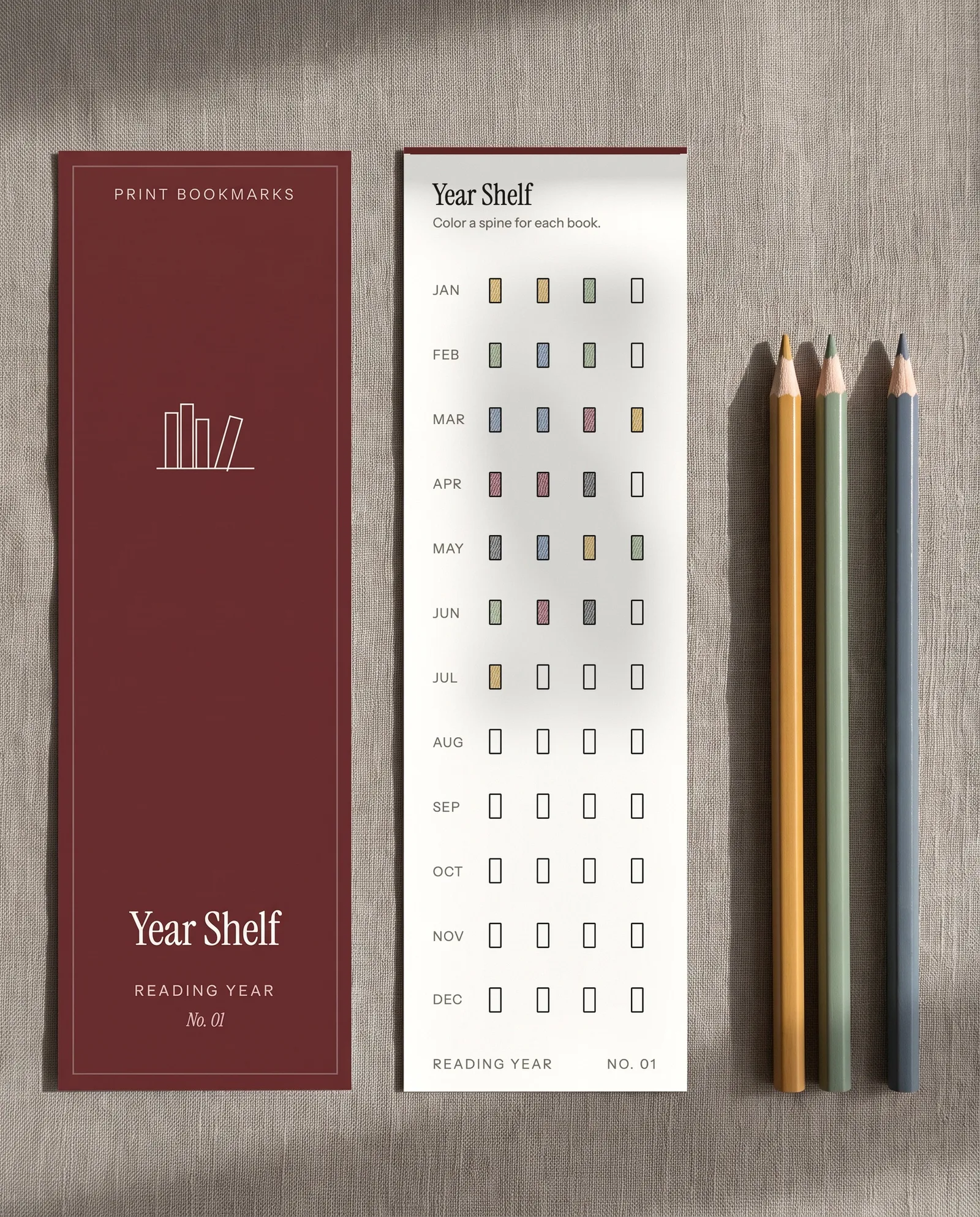
A row of colored spines is one of the most satisfying ways to see a year of reading. A bookshelf reading tracker is a drawn shelf where you color one spine per book. You can sketch one in any notebook with a ruler and a few pencils.
What Is a Bookshelf Reading Tracker?
A bookshelf reading tracker is a picture of your reading that fills in as you finish books. You draw a shelf and add a blank spine for every book you plan to read or have read. Each spine gets its color when the book is done. The shelf grows as the year goes on.
The appeal is that you read it at a glance. A log tells you what you read. A shelf shows how much, how long the books were and what kind you chose. The same drawing can also carry your ratings, if you make taller spines for the books you loved.
Rectangles are enough, and a ruler makes them look intentional.
Step 1: Draw the Shelf Lines
Start by ruling one shelf line across the page and leaving room above it for the tallest spine. A line 12 cm (4.7 inches) wide fits an A5 notebook page and holds about 20 average paperbacks at the scale in Step 2. A line 18 cm (7 inches) wide fits a US Letter or A4 page and holds about 30.
Rule a new line every 6 to 7 cm (about 2.5 inches) down the page. With margins of about 1.5 cm, that gives you three shelves on an A5 page and three to four on US Letter or A4.
Dotted notebooks make this easy. If your dots sit 5 mm apart, which you can check with a ruler, each dot gives you a unit of width to count. Plain and lined pages work too, since you only need the ruler.
Decide what one shelf stands for before you draw the second. One shelf can be a month, a quarter or simply the next ten books. Our guide to tracking the books you read this year helps you choose what to count.
Step 2: Set Spine Widths by Page Count
You can make a spine's width follow the length of the book, and the number to use comes from how paperbacks are made. The print-on-demand service Amazon KDP tells publishers to find a black-and-white paperback's spine by multiplying the page count. For white paper the multiplier is 0.002252 inches (0.0572 mm). For cream paper the multiplier is 0.0025 inches (0.0635 mm).
At about 0.0572 mm per page, a 300-page paperback on white paper has a spine of about 17 mm. Drawn at one third of that size, the spine fits many books on a page. The table shows the sizes to use.
| Pages | Real spine on white paper | Draw it this wide |
|---|---|---|
| 150 | About 9 mm | 3 mm |
| 300 | About 17 mm | 6 mm |
| 450 | About 26 mm | 9 mm |
| 600 | About 34 mm | 11 mm |
Hardcovers add boards, and different paper changes the numbers, so treat the table as a guide. Audiobooks have no pages. Give them a fixed width of your choice, such as 6 mm, and mark them with a small headphone sign or the letter A.
Pro Tip: Hold a ruler against a real 300-page paperback and compare it with the 17 mm in the table. Your own copy tells you how far to trust the scale, and a thicker paper means a wider spine.
Step 3: Pick a Color Code You Can Read
A color code turns each spine into an answer to one question. Choose the question first, then pick no more than five or six colors. The most useful codes are genre, rating and format.
| Code | What it shows | How to draw it |
|---|---|---|
| Genre | What kind of book you chose | One color per genre, with a legend in the corner |
| Rating | How much you liked it | Taller spine for a higher rating, or a star at the top |
| Format | Print, e-book or audio | Solid, hatched or dotted fill |
| Source | Owned, borrowed or bought this year | Fill for owned, outline only for borrowed |
Color alone can fail some readers. The National Eye Institute says that about 1 in 12 men have color vision deficiency, and red against green is the pair that often causes trouble. Pair each color with a letter or a hatch pattern, the way the shelf above does. The shelf then still reads if two of your pencils look alike.
Key Takeaway: Give every color a second signal. A letter or a hatch pattern costs one extra pencil stroke, and the shelf still reads when two pencils look alike or a page is copied in black and white.
Step 4: Title and Date Each Spine
Write the title up the side of each spine, in pencil, small enough to fit. Add the finish date at the base, or a number if you want the spines to double as a count. A numbered shelf tells you how many you have finished without counting rectangles.
A spine drawn at 3 mm has no room for a full title. Write initials or a short form, such as the first two words, or write only a number and keep a numbered list of titles on the facing page. A longer title can also run on a small label line under the shelf.
Your drawing tools matter on thin paper. Colored pencil and a fine-point pen sit on the page and rarely show through. Broad markers and highlighters often soak through ordinary printer paper, so test one on a margin first. If you use markers, keep the back of the page empty.
Two habits keep the shelf honest. Draw the outline when a book goes on your list and color it in only when you finish. Pencil the title first and go over it in pen once the book is done. Titles on a planned shelf change.
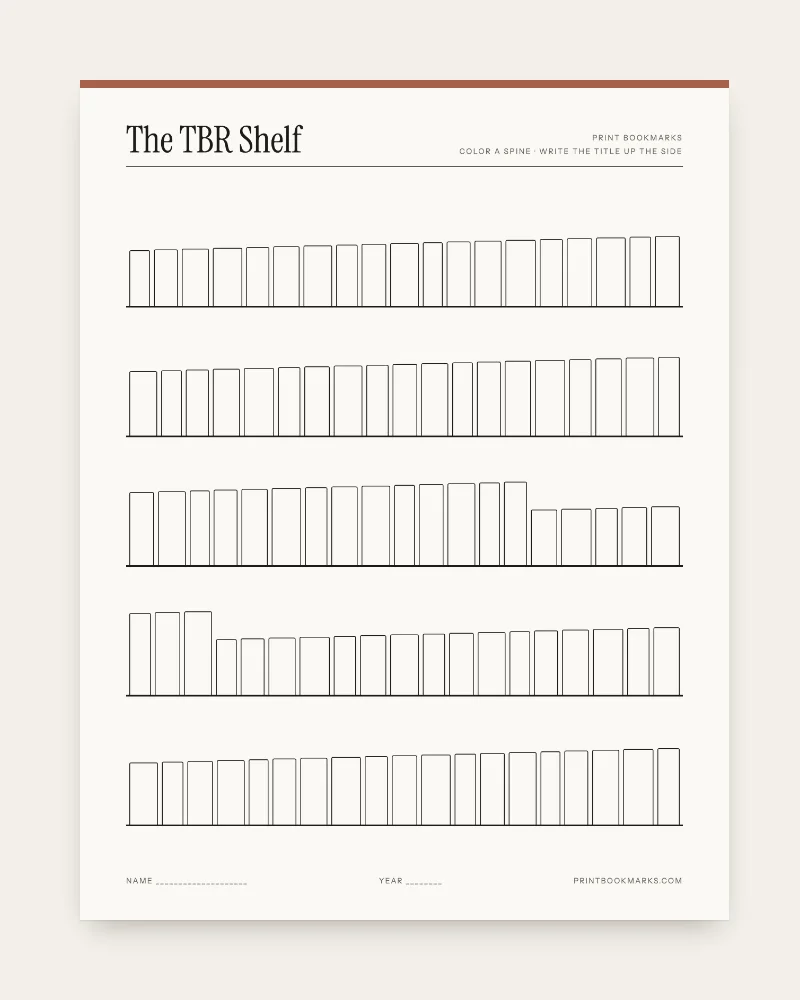
To skip the ruling, The TBR Shelf, our one-page reading list, has five shelves of empty spines to title and color in. Our Reading Year bookmark set includes a Year Shelf bookmark where you color a spine per book, month by month. Each bookmark trims to 2 by 7 inches.
Step 5: Choose a Shelf Layout That Fits How You Read
The layout decides what the shelf is for. Pick one job per page so the drawing stays readable. Four layouts cover most readers.
| Layout | What each shelf holds | Works best for |
|---|---|---|
| Read shelf | Books you finished, colored in | Seeing a year fill up |
| TBR shelf | Books you plan to read, outlines only | Choosing your next book |
| Shelf per month | One month of reading, a few spines | Slow readers who like small wins |
| Shelf per genre | One kind of book, such as mysteries | Readers working through a series |
A TBR shelf and a read shelf work well as a pair. Outline the spines on the TBR shelf, and when you finish a book, color the matching spine on the read shelf. The TBR list guide explains how to keep that list short.
One limit applies to our printed shelves. The spines are already drawn, so you cannot size them to page counts. If you want widths that follow length, draw your own shelf with the table above.
Overview of the Five Steps
| Step | What you do | What you end up with |
|---|---|---|
| 1 | Rule shelf lines and decide what a shelf means | A page with room to grow |
| 2 | Set spine widths from page count | Fat books that look fat |
| 3 | Pick a color code with a second signal | A legend you can read at a glance |
| 4 | Title and date each spine | A shelf that doubles as a log |
| 5 | Choose read, TBR, monthly or genre shelves | One job per page |
FAQ
What is a bookshelf reading tracker?
A bookshelf reading tracker is a drawn shelf with one blank spine per book. You write the title on the spine and color it in when you finish the book.
How do I make a bookshelf reading tracker by hand?
Rule a shelf line, draw rectangles above it as spines, and make each width follow the page count. Color the spines by genre or rating, add a legend, and write the title up the side of each spine.
How wide should each spine be?
A paperback spine on white paper measures about 0.0572 mm per page, according to Amazon KDP's formula. Draw at one third of that, which gives about 6 mm for a 300-page book.
Will The TBR Shelf work with my printer and paper?
Any home inkjet or laser printer works. Print the sheet at actual size (100%) on plain or matte paper around 120 gsm.
Can I print The TBR Shelf again or give it away?
Yes. The download is a zip with a US Letter PDF, an A4 PDF and a README, and a receipt email brings the link right after payment. You may print as often as you like for you and your household, and give printed bookmarks or sheets as gifts. Please do not share or resell the file.
Conclusion
A drawn shelf makes a year of reading visible. Rule the lines, size each spine from the page count, give every color a letter or pattern and write the title up the side. Pick a layout with one job, and your tracker will be easy to read in December.
Sources
- Amazon KDP, Create a Paperback Cover (n.d.) (last checked 2026-10-05)
- National Eye Institute, Color Blindness (n.d.) (last checked 2026-10-05)