TBR List: How to Make One

Most readers own more unread books than they would admit, plus a few waiting on hold at the library. A TBR list is your written record of the books you plan to read, and a good one sorts them by where they live, keeps only a few up front and gets pruned on a schedule.
What Is a TBR List?
Your to-be-read list is every book you mean to get to, written down somewhere you will actually look. Dictionary.com describes TBR as an acronym for "to be read" that many people use for their reading lists. The list can live in an app, a notebook, a spreadsheet or on a sheet taped inside a cupboard door. Readers also say TBR pile for the physical stack of unread books. The list is the written record, and the pile is what sits on your shelf.
The stack even has its own word. The Cambridge Dictionary defines tsundoku as buying a lot of books and keeping them in a pile because you intend to read them but have not done so yet. A written list does not stop the pile from growing. You still get a clear view of what is in it.
DNF is the other half of the vocabulary. The letters stand for "did not finish," and they mark a book you stopped reading on purpose. Once quitting has a name, clearing a stalled book off your list gets much easier. The StoryGraph builds both ideas into its app, with a one-click Did Not Finish status and an Up Next queue for your next five reads.
Paper, App or Spreadsheet?
The best home for the list is the place you already look when you choose a book. Phones win for searching and for anything you borrow digitally. Paper wins when the books themselves are physical and sit in one room. Pick by where your next book will come from.
| Where the list lives | Works best when | Weak spot |
|---|---|---|
| A reading app such as The StoryGraph or Goodreads | You find books on your phone and want search, ratings and imports | Adding a title takes one tap, so the list swells fast |
| Tags in your library app | Most of what you read is library e-books and audiobooks | Only covers what your library carries |
| A spreadsheet | You like sorting by length, genre or date added | Lives on a laptop, far from the bookshelf |
| A printed sheet or bookmark | Your unread books are mostly physical and at home | No search, and you rewrite it when it fills |
Apps have real advantages here. The StoryGraph says it will import your currently-reading, read, to-read and did-not-finish shelves from Goodreads, so switching costs little. The library app Libby has a Notify Me smart tag that alerts you when your library adds a title you saved. A paper list cannot do either.
If nearly everything you plan to read is a library e-book, skip paper altogether. Libby already holds that list, and a printed copy goes stale with every new hold. Paper earns its place for the stack on the nightstand. For a fuller look at the trade-offs, see our comparison of book tracker apps and paper.
Step 1: Split the List Into Owned, Borrowed and Wanted
Start by sorting every title by where it lives right now. Books you own sit on a shelf with no deadline. Borrowed books come with one. The rules also differ from one library to the next. Libby's help pages note that your library chooses how many loans and holds you can have at a time. Loan periods vary by library and by format too.
Write a due date beside every borrowed title, because that group always jumps the queue. Books you still have to get need a format note, print, e-book or audio, so you know where to look first. Three short groups are easier to scan than one long list.
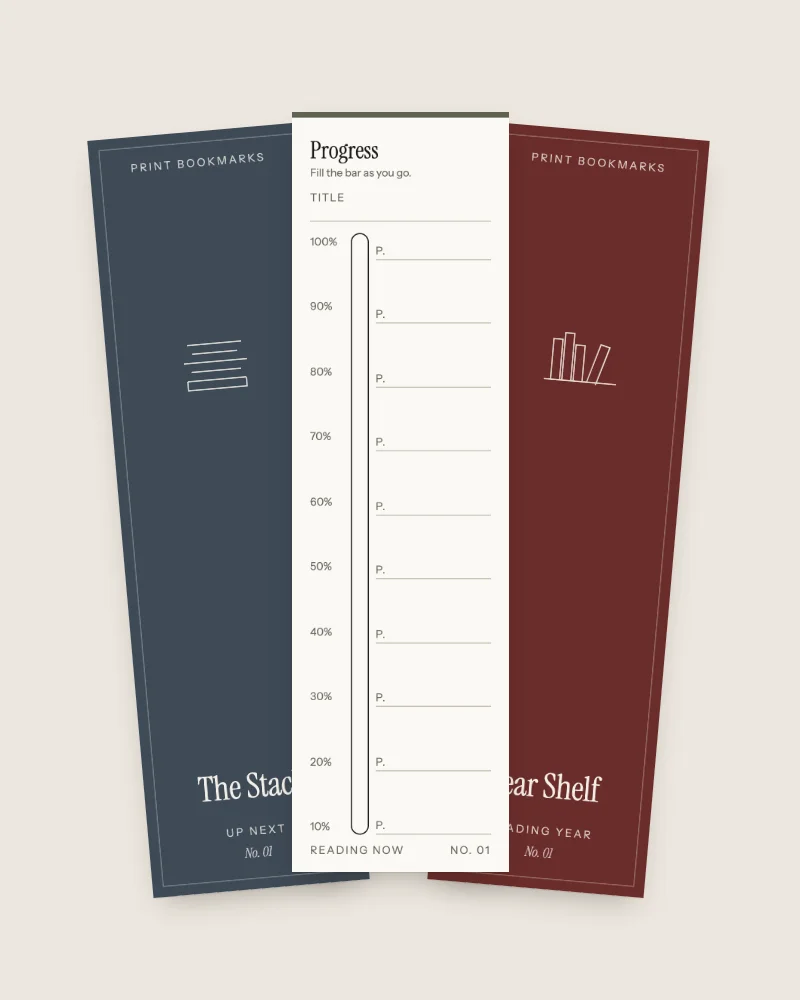
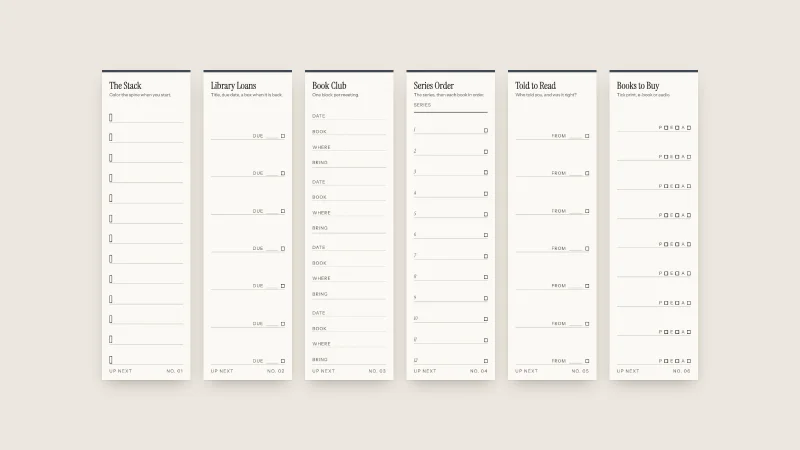
Our Up Next bookmark set splits the same groups across separate bookmarks. The Stack holds your to-read pile, Library Loans has a due date and a returned box for each title, and Books to Buy notes print, e-book or audio.
Step 2: Give Every Title a Reason
Next to each book, write the one thing that made you add it. A friend's recommendation counts. So does a mood, a series you are partway through, or a book club date. Keep it to a few words.
The reason does two jobs later on. When you choose, it tells you which book fits tonight. When you prune, a title with no reason left is the first to go. Our Up Next set has a Told to Read bookmark for exactly this, with room for who recommended a book and whether they were right.
Step 3: Keep a Short Shelf Up Front
Pick a handful of books as your genuine next reads and let the rest wait behind them. A front shelf of about five is easy to hold in your head, and The StoryGraph's Up Next queue uses the same number.
Paper makes this easy. Give the front shelf its own row. The TBR Shelf, our one-page reading list, has five shelves of empty spines. You write a title up the side of a spine and color it in when you finish. Use the top shelf for the next few books and the lower four for everything else.
Pro Tip: Pencil titles onto the top shelf and switch to pen only when you open the book. Swapping a front-shelf title then costs one eraser stroke.
Step 4: Use a TBR Jar When You Cannot Choose
A TBR jar turns choosing into a draw. Write each book you own on a folded slip, drop the slips in a jar and pull one when you finish a book. It works best for readers who stall between books.
Two other methods suit different moods. A monthly TBR picks three to five front-shelf titles on the first of the month and reads only those. Mood reading uses the reason beside each title, so a tired week gets the book you marked as light.
Set two small rules before the first draw. You may redraw once, and the rejected slip goes back in. A title that loses three draws comes off the list. Leave borrowed books out of the jar, since their due dates already decide the order.
Step 5: Prune the List Every Few Months
Pruning means taking off the books you no longer want, on a set date and without guilt. A change of season is an easy reminder. Read down each group and ask whether the reason beside each title still holds.
Stalled books need a different test. Librarian Nancy Pearl's Rule of 50, as reported by Shelf Awareness, says to give a book 50 pages and put it down if you are not really liking it. From age 51, you subtract your age from 100 to get your page count. Mark those books DNF and let them go.
If pruning leaves a pile you still want to read, a year where you read only from it is one of the formats in our list of reading challenge ideas.
Key Takeaway: Quitting a book and pruning a list are the same skill. If 50 pages is a fair trial for a book in your hands, one season is a fair trial for a title on paper.
Overview of the Five Steps
| Step | What you do | What you end up with |
|---|---|---|
| 1 | Sort titles into owned, borrowed and wanted | Due dates and formats where they matter |
| 2 | Write one reason beside each title | A quick way to choose and to prune |
| 3 | Move about five books to a front shelf | A next read you can name at once |
| 4 | Draw from a jar when you are stuck | No more evenings lost to choosing |
| 5 | Prune each season and mark stalled books DNF | A list that stays honest |
FAQ
What is TBR and DNF?
TBR means "to be read" and covers the books you plan to read. DNF means "did not finish" and marks a book you stopped on purpose. Tracking both shows what is waiting and what you let go.
What is the best TBR tracker?
The best tracker sits where your books come from. An app such as The StoryGraph suits phone browsing and imports from Goodreads. Libby tags suit library e-books. A printed sheet suits a physical pile at home.
How do I track my physical TBR?
Shelve your unread books together and keep a printed list next to them. Split it into owned, borrowed and wanted, give each title a reason, and move about five to a front shelf.
What do I get with The TBR Shelf, and can I print it again?
You get a zip with a US Letter PDF, an A4 PDF and a README, and a receipt email brings the download link right after payment. Print it at actual size (100%) on any home inkjet or laser, on plain or matte paper around 120 gsm. You may print as often as you like for you and your household, and give printed bookmarks or sheets as gifts. Please do not share or resell the file.
Conclusion
A to-read list works when it answers one question fast, which book is next. Sort your books by where they live, give each a reason, keep about five up front and prune when the season turns. Whether the list lives in an app or on paper matters less than looking at it each time you finish a book. Start with the stack you can see.
Sources
- Dictionary.com, TBR (n.d.) (last checked 2026-10-02)
- Cambridge Dictionary, tsundoku (n.d.) (last checked 2026-10-02)
- The StoryGraph, The StoryGraph home page and FAQ (2026) (last checked 2026-10-02)
- Libby Help, What are smart tags and what do they do? (n.d.) (last checked 2026-10-02)
- Libby Help, Borrowing limits (2026) (last checked 2026-10-02)
- Libby Help, Changing your loan period (n.d.) (last checked 2026-10-02)
- Shelf Awareness, Nancy Pearl's Revised 'Rule of 50' (2011) (last checked 2026-10-02)